

Blog
Buy Advertising Print and Cut Machine for Sale

Buy Advertising Print and Cut Machine for Sale
Most buyers think mechanical precision decides print-and-cut accuracy. The real bottleneck is camera calibration and RIP software alignment.
When you buy an advertising print and cut machine, the four specifications that determine whether your shop makes money or bleeds material are visual positioning accuracy, bed size versus your actual order profile, cutting speed range matched to material thickness, and RIP software compatibility with your existing workflow. Getting these wrong means wasted media, missed registration marks, and edge quality that loses customers to the shop down the street.
Back when I was still running cable trays and assembling oscillating knife heads on the shop floor, I got sent to Monterrey to commission a unit for a signage shop. The machine arrived, we unpacked it, and within the first hour the owner pointed at a stack of KT board that was wider than the usable cutting area. His standard sheet size exceeded the bed by a noticeable margin. Then we tried running his self-adhesive PP synthetic paper through the feed system—the pinch rollers left marks on the printed surface. Three days of on-site adjustments, reprogramming feed pressure, swapping roller covers, and rewriting nesting layouts before that advertising print and cut machine was actually producing sellable work. That trip burned into my memory that spec-sheet reading alone never closes a deal. You have to match the machine to the order book, not the other way around [NEED_CITE: common causes of registration failure in digital print-and-cut workflows].
If you are at the stage of comparing options and requesting quotes, the sections below walk through exactly which parameters matter, how to cross-check them against your order mix, what sits behind the invoice price, and how to separate real supplier capability from brochure language.
What Is an Advertising Print and Cut Machine and How Does It Work?
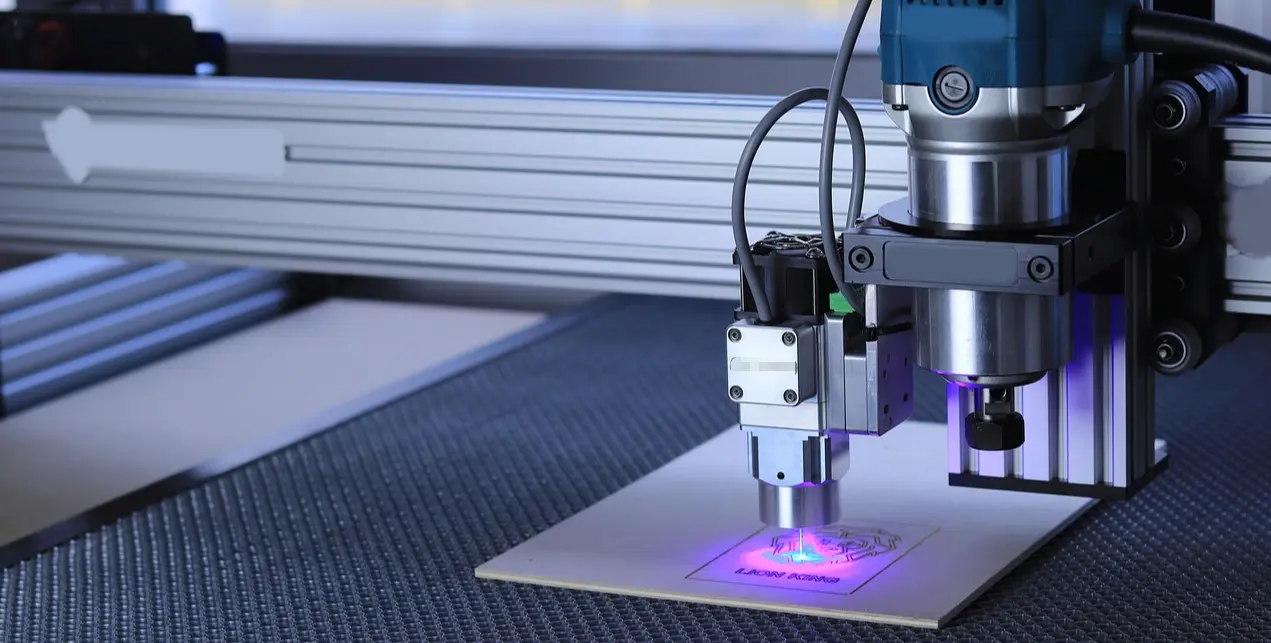
An advertising print and cut machine integrates wide-format inkjet printing and computer-controlled contour cutting into a single workflow, using a camera-based vision system to read registration marks on printed media and align the cutting path accordingly.
The workflow runs in three stages. First, the RIP software imposes the print layout and generates registration marks at defined positions. Second, the print engine produces the graphics on the chosen media. Third, the media is either repositioned on the same bed or fed through an inline module, and the vision camera scans the marks to calculate any shift, rotation, or stretch that occurred during printing. The cutting controller then compensates and drives the oscillating knife along the exact contour.
The critical link between print and cut is the camera. Without accurate mark recognition, even a mechanically perfect knife will follow the wrong path. Camera resolution, lens distortion correction, and the software algorithm that calculates transformation matrices all feed into the final cut accuracy [NEED_CITE: vision-based registration methods in large-format digital finishing].
A Latin American signage workshop I worked with learned this the hard way. They bought a unit based on the advertised mechanical repeatability figure, but their sticker waste rate stayed stubbornly high. Once we recalibrated the camera and matched the RIP output to the camera’s recognition field, the waste dropped noticeably. The knife had never been the problem.
Key Specifications to Compare Before Buying
Visual positioning accuracy, bed dimensions, cutting speed range, and material compatibility form the four non-negotiable comparison axes when evaluating any advertising print and cut machine.
Below is a comparison framework I use when shops send me their order profiles. The goal is not to chase the highest number in every column but to find the column that matches your production reality.
| Specification Axis | Entry-Level Option | Mid-Range Production Option | High-Mix Flexible Option |
|---|---|---|---|
| Visual Positioning Accuracy | Basic mark detection, manual offset | Camera auto-recognition with distortion correction | High-resolution camera with multi-mark averaging |
| Bed Size vs. Order Profile | Fixed small format, limited to standard sheet sizes | Matches dominant order size with slight oversize margin | Large format with modular hold-down zones |
| Cutting Speed Range | Narrow band, single material type | Adjustable across thin vinyl to rigid board | Wide range with automatic tool-path optimization |
| Material Compatibility | Self-adhesive vinyl only | Vinyl, KT board, foam board, corrugated plastic | Adds acrylic, PVC foam, composite panels |
| RIP Software Integration | Proprietary closed RIP | Open RIP with plug-in support | Multi-RIP compatibility with hot-folder workflow |
| Certification Baseline | Self-declared compliance | Third-party tested | CE certified with full documentation package |
[NEED_CITE: specification comparison criteria for digital print-and-cut equipment per signage industry guidelines]
One Southeast Asian print factory I supported kept seeing edge burrs on their PVC foam board output. They assumed the knife was dull. After swapping blades twice with no improvement, we looked at the speed setting. They had been running at the upper end of the range to chase throughput, but the material thickness required a slower pass with adjusted oscillation frequency. Once we pulled the speed back and tuned the knife stroke, the edge quality came within acceptable range without any blade change. Speed without material matching is just fast scrap.
When you request quotes for an advertising print and cut machine, ask the supplier to fill in each row of this framework against your actual order mix. If they can only talk about one axis, keep looking.
How to Match Machine Specs to Your Order Profile
The correct bed size and tool configuration are determined by working backward from your dominant order dimensions and material types, not by selecting the largest available option.
A common mistake I see repeatedly is buyers choosing the biggest bed in the catalog because it feels future-proof. In practice, a bed that significantly exceeds your regular order size increases material handling effort, consumes more floor space, and can reduce vacuum hold-down effectiveness on smaller sheets because the plenum volume is oversized for the work area.
The right approach starts with pulling your order history. Sort your jobs by media size and material type over the past several months. Identify the size range that covers the majority of your volume. Then select a bed that accommodates that range with a reasonable margin for sheet handling and gripper travel.
For material, list every substrate you currently run and any that customers have asked about recently. Check each against the machine’s tooling options. An advertising print and cut machine that handles only self-adhesive vinyl will leave you stranded the moment a client asks for KT board signs or foam-backed stickers. Oscillating knife tools, creasing wheels, and router spindles each cover different material families, and the tool changer configuration determines how fast you can switch between them [NEED_CITE: material-tool matching guidelines for flexible and semi-rigid signage substrates].
A Middle East client running a mixed signage business ordered a unit configured purely for vinyl stickers. Within weeks, a hotel chain asked for rigid PVC foam wayfinding signs. The machine could not process them without a tooling upgrade that cost a meaningful fraction of a new machine. The lesson was expensive: always configure for the material mix you have today plus the one adjacent category your sales team is actively pursuing.
Voltage compatibility is another detail that causes delays. Confirm whether your facility runs on single-phase or three-phase supply and match the machine accordingly. Some regions require specific voltage configurations, and a mismatch means either a transformer investment or a production delay while the manufacturer reconfigures the drive system.
What Are the Total Cost Factors Beyond Machine Price?
The invoice price of an advertising print and cut machine typically represents only a portion of the first-year operating cost. Consumables, maintenance intervals, software licensing, and operator training all contribute to the real cost of ownership.
Start with consumables. Oscillating knife blades wear at rates that depend on material abrasiveness and daily running hours. Cutting mats or sacrificial underlays need periodic replacement. Ink costs per square meter vary between print technologies, and if the machine uses proprietary ink cartridges, your supply chain is locked to one source.
Maintenance is the next line item. Belt tension checks, rail lubrication, camera lens cleaning, and vacuum pump filter replacement are routine tasks. Machines with sealed bearing systems and automated lubrication cycles extend intervals between technician visits. Ask the supplier for a recommended maintenance schedule and estimate the labor hours your team will spend on it.
Software licensing often surprises first-time buyers. Some RIP packages are included in the machine price for a defined period, then require annual renewal. Others charge per seat or per concurrent user. If your shop runs multiple operators across shifts, the licensing model can shift the economics substantially.
Training cost is real but frequently ignored. A new advertising print and cut machine needs operators who understand both the print workflow and the cutting parameters. Supplier-provided training, whether on-site or remote, reduces the ramp-up period and prevents the early mistakes that waste material. Realtop includes operator training as part of their package, along with remote diagnostic support that can resolve many issues without a site visit.
Warranty length matters more than buyers think. A standard one-year warranty covers early failures, but components like servo drives and camera modules can fail outside that window. A three-year warranty, like the one Realtop provides, shifts significant risk off your balance sheet and signals manufacturer confidence in component durability.
How to Verify Supplier Claims Before Placing an Order?
Free sample cutting, live video verification, certification document review, and written after-sales response commitments are the four verification steps that separate capable suppliers from brochure-only operations.
Before committing to any advertising print and cut machine, request a free sample cut using your own artwork and material. A confident manufacturer will run your file, photograph the output at close range, and send you the pieces. Examine the edge quality, registration accuracy, and whether the camera caught your registration marks on the first attempt. If the supplier hesitates or asks you to accept their standard sample instead, treat that as a warning sign.
Live video verification goes further. Ask for a real-time video call where the machine runs your job on the actual unit you will receive. Watch the camera recognition process, listen for unusual vibration, and check the cut speed against what was quoted. Realtop provides demonstration videos and can arrange live sessions where their technicians run your specific file, giving you confidence that the machine performs as described.
Certification documents require careful review. CE marking is mandatory for machines entering many markets, but not all CE certificates are equal. Request the full test report, not just a one-page declaration. Verify that the notified body name is legitimate and that the certificate covers the exact model you are ordering [NEED_CITE: CE conformity assessment requirements for machinery under EU Directive].
After-sales response commitments must be written, not verbal. Ask for a documented response time guarantee for remote technical support. Realtop offers round-the-clock online technical support with remote diagnostics capability, meaning their engineers can connect to the machine controller and troubleshoot software or parameter issues without waiting for a technician to travel. That level of support infrastructure is a strong indicator of a manufacturer that stands behind their equipment beyond the sale.
Conclusion
Choosing the right advertising print and cut machine is an exercise in matching specifications to order reality, not chasing the highest number on a spec sheet. Visual positioning accuracy, bed sizing against your dominant order profile, material-tool compatibility, and verified supplier support together determine whether the investment produces profitable output or costly frustration. Pull your order data, test with your own materials, and confirm every claim with documentation before signing.

